Disclosure: As an Amazon Associate and eBay Partner Network publisher, we earn from qualifying purchases. This doesn’t affect what we recommend or how we describe it.
7 min read
Why is your solar panel not charging your batteries as expected? Or maybe you’re just not sure if your new panel is doing what the label says. Testing solar panel output is the only way to know for sure what your system is producing and whether your setup needs a fix, an upgrade, or just a cleaning. In a world where every watt counts off-grid, measuring your panel’s real output—rather than trusting the sticker on the box—can save you from underpowered nights and wasted money.
Comparing Ways to Test Solar Panel Output: Practical Methods and Their Tradeoffs
| Approach | Main Tool Needed | Accuracy | Setup Time | Price | Best For |
|---|---|---|---|---|---|
| Basic Multimeter Check | Standard digital multimeter | ±5% | 5-10 min | $ | Quick spot-checks, troubleshooting |
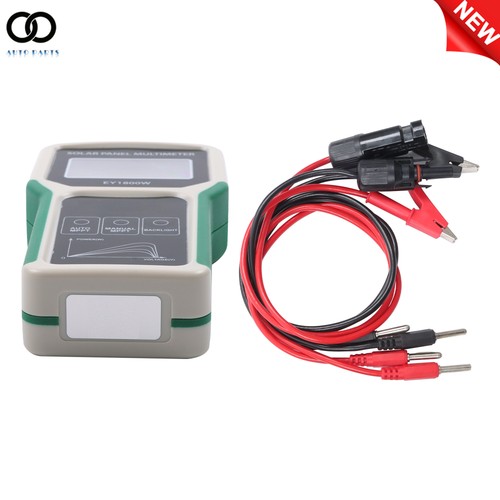
| Inline Watt Meter | In-line DC watt meter (10A, 100V) | ±2% | 5-15 min | $$ | Measuring under load, ongoing monitoring |
| Dedicated Solar Analyzer | Portable I-V curve tester | ±1% | 10-20 min | $$$ | Professional diagnostics, large arrays |
| Charge Controller Readout | MPPT/PWM controller with display | Varies (±3-10%) | 0-5 min | $$ | Day-to-day monitoring, whole-system view |
Quick decision tree
- If you just want a fast answer and already own a multimeter: Use the basic multimeter check for open-circuit voltage and short-circuit current.
- If you want to see actual watts going into your battery: Install an inline watt meter between the panel and charge controller for real-world readings.
- If you’re troubleshooting a big system with multiple panels: Consider borrowing or renting a solar analyzer for detailed diagnostics.
- If your charge controller has a display and you trust its numbers: Use it for a quick look, but verify with a meter if results seem off.
Why solar panel output rarely matches the label
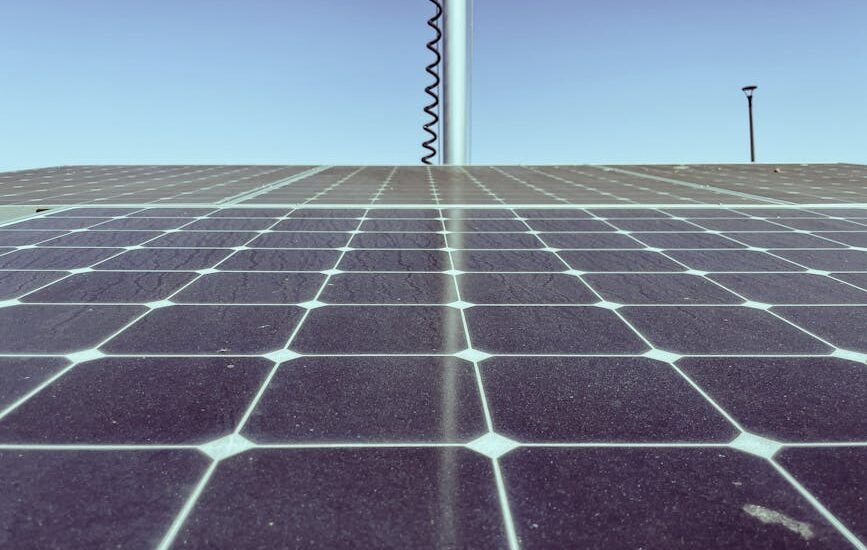
Solar panels are rated in ideal lab conditions: 1000W/m² sunlight intensity, 25°C cell temperature, and no shading. Real-world conditions almost never match this. A 200W panel might only put out 130-170W in actual use, depending on sun angle, temperature, dust, and wiring losses. Even a slightly dirty panel can lose 10% of its output. Knowing this helps set realistic expectations and spot problems that need fixing.
How to test solar panel output: step-by-step with a multimeter and watt meter
- Check sunlight conditions. Test in full sun, ideally between 11am and 2pm, with the panel angled directly at the sun and free of shade or debris.
- Measure open-circuit voltage (VOC). Set your multimeter to DC volts. Disconnect the panel from everything. Touch the meter leads to the panel’s (+) and (–) terminals. Compare to the VOC spec on the panel label. It should be within 10% of that value on a sunny day.
- Measure short-circuit current (ISC). Switch the multimeter to DC amps (10A setting). With the panel still disconnected, briefly touch the leads across the (+) and (–) terminals (don’t hold for more than a second). Compare to the ISC spec. If it’s much lower, your panel may be shaded, dirty, or damaged.
- Test output under load with a watt meter. Reconnect the panel to your system (or a suitable load). Insert an inline watt meter (rated for your panel’s voltage and current) between the panel and charge controller. Record the real-time watts, amps, and volts. This shows the true usable output.
- Compare numbers to expectations. If your measured output is more than 25% below the panel’s rating in good sun, look for issues: dirt, shade, bad wiring, or failed cells.
What do the numbers mean? Interpreting your test results
The open-circuit voltage should match the VOC rating (within about 10%) when the panel is cool and in full sun. Short-circuit current should be within 10-15% of the ISC spec. Under load, expect 60-85% of the nameplate wattage, depending on conditions. If your numbers are much lower, check for obvious issues: partial shading (even a finger can drop output), dirty glass, loose or corroded connections, or mismatched equipment (wrong charge controller for the panel voltage).
Related Guides
- Our guide to Motorized Solar Panel Tilt Mounts for Easy Solar Tracking
- A No-Nonsense Guide to Solar Panel Mounting Brackets That Last
- How to Choose the Right Solar Panel Tilt Mount for Your RV
- 12V Solar Charge Controller Circuit Diagram Explained
- Our guide to Solar Extension Cables: What to Look For and What to Avoid
- Our guide to Solar Powered Phone Chargers That Really Work
- Browse all Solar Panels Kits →
When to use a watt meter vs just a multimeter
A multimeter is fine for quick spot-checks or diagnosing a dead panel. But it only tells you voltage or current separately, not the real power delivered to your battery. An inline DC watt meter, rated at least 10A and 100V, shows watts, amps, and volts in real time—critical for seeing what your system is actually harvesting under load. For panels over 200W or in larger arrays, a watt meter is the better investment. Compare options for meters that fit your system’s size and connectors.
How to size your test gear for your solar setup
Don’t just grab any meter—check its voltage and current ratings. For 12V panels, you need at least a 20V/10A meter. For 24V or 48V setups, choose a meter rated for 60V or 100V and 10-20A. Undersized meters can blow fuses or give false readings. Make sure your connectors (MC4, ring, spade, etc.) match your panel wiring, or get proper adapters. See today’s deals on meters with the right specs for your setup.
Common mistakes when testing solar panels (and how to avoid them)
- Testing in poor sunlight: Cloud cover, low sun, or shade will give artificially low numbers.
- Using the wrong meter range: Trying to measure ISC with the wrong setting can blow a fuse or damage your meter.
- Measuring under load with just a multimeter: You’ll only get volts or amps, not true watts.
- Not isolating the panel: For VOC and ISC, the panel must be disconnected from other gear.
- Confusing DC and AC settings: Solar panels output DC, so always use the DC setting.
FAQs about testing solar panel output
How often should I test my solar panel output?
Test at least twice a year, ideally at the start of each season. If you notice your batteries aren’t charging fully, or output seems down, test immediately. Panels can lose 10-20% over a year from dirt or wear.
What’s the difference between open-circuit voltage and output under load?
Open-circuit voltage (VOC) is measured when the panel is disconnected from everything—no current flows. Output under load is what the panel actually delivers to your system, which is always lower. The real-world number that matters is watts under load, not VOC.
Can I use a clamp meter to measure solar panel amps?
Only if it’s rated for DC amps, and you have a single wire (not a cable pair) to clamp around. Most clamp meters are AC-only. For DC panels, a direct inline meter or digital multimeter is more reliable.
Multimeter vs watt meter — which is better for off-grid users?
A watt meter gives a clearer picture of actual power delivered, especially for 12V or 24V battery setups. A multimeter is cheaper and fine for spot-checks, but it won’t show you watts. For ongoing monitoring or troubleshooting low output, a watt meter is worth the extra cost. View what’s available for your system’s size.
How many watts should my 100W panel produce in real life?
In full sun and cool conditions, expect 60-85W under load from a 100W panel. If you see less than 50W at noon on a clear day, check for dirt, shade, or faulty wiring.
What if my panel’s output drops suddenly?
First, check for new shading (fallen branch, bird droppings, etc.). Clean the panel. If output is still low, inspect all connections and test with a multimeter. If VOC or ISC is much lower than the label, the panel or wiring may be damaged. Check your warranty—most panels have 10-25 year coverage for major output loss.
What does a “solar analyzer” do and when is it worth it?
A solar analyzer (I-V curve tracer) measures a panel’s full performance curve, revealing subtle cell damage or mismatch. These tools are overkill for one or two panels but can save hours diagnosing issues in larger off-grid or homestead arrays. For small setups, stick to a watt meter or multimeter. For professional troubleshooting, consider renting or borrowing an analyzer. For more on industry standards, see Solar Power World for up-to-date solar testing practices.
Final checks before you buy test equipment
Make sure any meter you buy is rated for your system’s voltage and current. Look for meters with clear displays (at least 2 decimal places for volts/amps), and easy-to-swap connectors. Don’t waste money on features you’ll never use—simple, reliable meters are best for off-grid use. If you’re upgrading panels or batteries soon, size your meter for future needs (for example, a 100V/20A watt meter covers most off-grid home and RV setups). Always follow manufacturer instructions for safe testing, and never test live wires unless you’re confident in your gear and skills. For more tips on solar panel care and output, check resources from SolarReviews.
Last updated: June 2026 · How we cover this topic